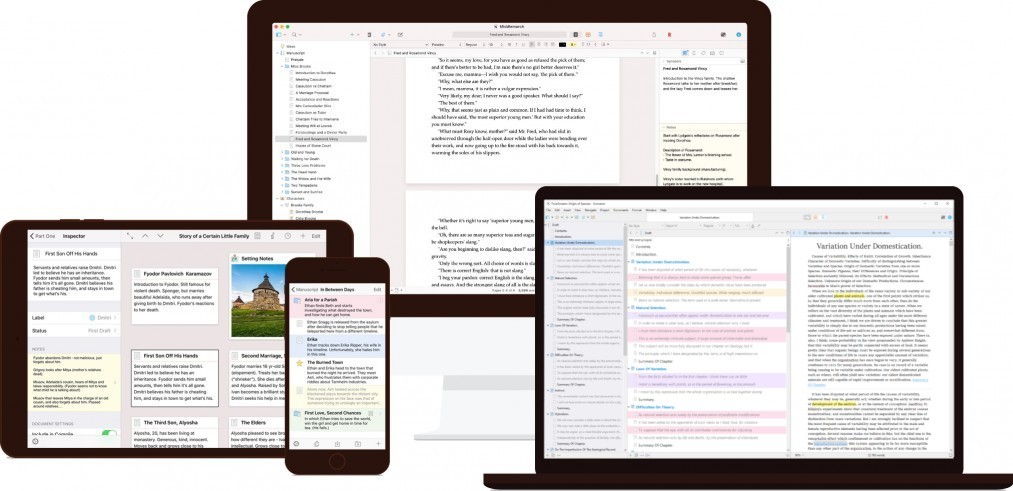
Top 5 Writing Software Options That Make Your Life Easier
In today's fast-paced digital world, having the right tools can significantly enhance your writing process. Here are the Top 5 Writing Software Options that make your life easier:
- Scrivener - Perfectly designed for long-form projects, this software allows you to organize your ideas and research efficiently. Its flexible structure helps you focus on what matters the most.
- Grammarly - This powerful writing assistant not only checks for grammar and spelling errors but also provides suggestions for improved style and tone, ensuring your writing is polished and professional.
- Hemingway Editor - Ideal for those looking for clarity and brevity in their writing, this tool highlights complex sentences and adverbs, making your work as accessible as possible.
- Google Docs - The perfect collaborative tool, Google Docs allows multiple users to edit a document simultaneously, making it easier to share ideas and receive feedback in real-time.
- Ulysses - A favorite among creatives, Ulysses combines a clean interface with powerful organizational tools, enabling you to focus on your writing without distractions.
How to Choose Writing Software That Enhances Your Creativity
Choosing the right writing software can significantly enhance your creativity and streamline your writing process. Consider starting by identifying your specific needs: are you looking for a simple text editor, or do you require advanced features such as collaboration tools and project management? Here are some key factors to think about:
- User interface: Look for software that is intuitive and easy to navigate, allowing you to focus on your writing rather than struggling with the tools.
- Features: Different software offers various features such as grammar checking, brainstorming tools, and formatting options that can support your creative flow.
- Compatibility: Ensure the software works seamlessly across devices and platforms, so you can write wherever inspiration strikes.
Another crucial aspect to consider is the customizability of the software. Many writers thrive in an environment tailored to their unique workflow. Therefore, choose a writing tool that allows you to adjust settings like font size, theme, and layout. Additionally, it’s helpful to read user reviews and trial different options to see which resonates with your style of writing. Remember, the ultimate goal is to find software that not only meets your practical needs but also sparks your imagination, helping you to produce your best work.
Is Your Writing Software Driving You Crazy? Here’s How to Tell
It’s not uncommon for writers to feel frustrated with their writing software. If you find yourself battling constant crashes, slow loading times, or cumbersome interfaces, it might be time to reevaluate your tools. Here are some signs your writing software could be driving you crazy:
- You often experience lag when typing.
- Features you regularly use are difficult to navigate.
- Formatting options are limited or overly complicated.
Moreover, if your writing software is causing you to lose focus or stifling your creativity, that’s a clear warning sign. Ask yourself these questions:
- Are you spending more time troubleshooting than writing?
- Do you often consider switching to a different program?
- Is it hard to collaborate with others using the same tool?